 KES
 USD - International

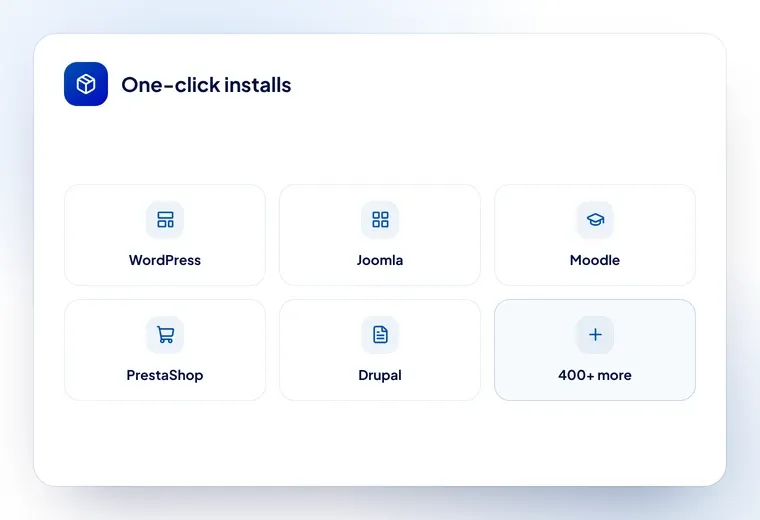
In the realm of web hosting, the convenience and efficiency of a script auto-installer can be a game-changer. A script auto-installer is a tool provided by many hosting providers that simplifies and expedites the process of setting up various applications, frameworks, and platforms on your website. This tool acts as a virtual assistant, sparing you from the intricacies of manual installation, configuration, and compatibility checks. Whether you’re a seasoned web developer or a novice exploring the digital landscape, a script auto-installer is a versatile ally that empowers you to effortlessly introduce a diverse array of software, ranging from content management systems like WordPress, e-commerce platforms like Magento, forums, galleries, wikis, and more.
The allure of a script auto-installer lies in its user-friendly interface. It eliminates the need to navigate complex technical procedures, making it accessible to individuals with varying levels of expertise. With just a few clicks, you can select the application you wish to install, specify essential details like domain and directory, and initiate the installation process. The auto-installer handles the intricate steps behind the scenes, from creating databases to configuring settings, ensuring that the application is correctly integrated into your website’s framework.
Furthermore, a script auto-installer keeps your software up-to-date and secure. Regular updates are essential for optimal performance and protection against vulnerabilities. An auto-installer often provides notifications and prompts for these updates, streamlining the maintenance process. This proactive approach helps you maintain a website that’s both dynamic and secure, without the need for constant manual intervention.
For those venturing into the web development arena, a script auto-installer is a valuable learning tool. It allows you to experiment with diverse software applications, grasp their functionalities, and refine your skills without the intimidation of complex setup procedures. This is particularly advantageous for aspiring developers looking to broaden their expertise and explore various avenues within the digital ecosystem.
In conclusion, a script auto-installer is a testament to the evolution of web hosting, offering a bridge between technology and user-friendliness. It empowers website owners, developers, and enthusiasts to effortlessly harness the capabilities of diverse software applications, opening doors to creative expression, online commerce, and interactive engagement. As you embark on your digital journey, the presence of a script auto-installer can be the catalyst that transforms your aspirations into digital realities, ensuring that your web presence thrives with efficiency, innovation, and accessibility.
Softaculous, on every plan
Every hosting plan includes Softaculous, which installs more than 400 applications in one click from inside cPanel — no files to upload, no database to create by hand.
What people install most
- WordPress — websites, blogs and shops
- WooCommerce — on top of WordPress, for selling online
- Joomla and Drupal — other content management systems
- Moodle — e-learning for schools and training providers
- PrestaShop and OpenCart — standalone shops
- phpBB and Matomo — forums and self-hosted analytics
What it does beyond installing
- Updates applications when new versions come out
- Staging — clone a site, test a change, push it live
- Backups of an individual application before you upgrade it
- Clones of a finished site, which is handy if you build similar sites for clients
SitePad as well
If you would rather not use WordPress at all, SitePad is a drag-and-drop builder with more than a thousand templates, also included and also launched from cPanel.